
3.3 KiB
| title | layout |
|---|---|
| VM-Operator: VM pools — assigning VMs to users dynamically | vm-operator |
VM Pools
Since 4.0.0
Not all VMs are replacements for carefully maintained individual PCs. In many workplaces, a standard configuration can be used where user-specific data is kept in each user's home directory on a shared file system. In such cases, an alternative to providing individual PCs is to offer a pool of VMs and allocate them from the pool to users as needed.
Pool definitions
The VM-operator supports this use case with a CRD for pools.
apiVersion: "vmoperator.jdrupes.org/v1"
kind: VmPool
metadata:
  namespace: vmop-dev
  name: test-vms
spec:
  retention: "PT4h"
  loginOnAssignment: true
  permissions:
  - user: admin
    may:
    - accessConsole
    - start
  - role: user
    may:
    - accessConsole
    - start
The retention specifies how long the assignment of a VM from the pool to
a user is retained after the user closes the console. This allows a user
to interrupt his work for this period of time without risking that
another user takes over the VM. The time is specified as
ISO 8601 duration.
Setting loginOnAssignment to true triggers automatic login of the
user (as described in section auto login) when
the VM is assigned. The permissions property defines what a user can
do with a VM assigned to him.
VMs become members of one (or more) pools by adding the pool name to
property spec.pools (an array of strings), e.g.:
apiVersion: "vmoperator.jdrupes.org/v1"
kind: VirtualMachine

spec:
  pools:
    - test-vms
Accessing a VM from the pool
Users can access a VM from a pool using the widget described in user view. The widget must be configured to provide access to a pool instead of to a specific VM.
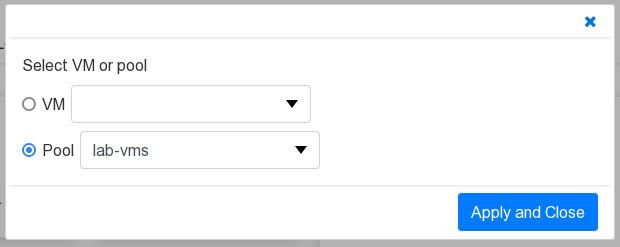 {: width="500"}
Assignment happens when the "start" icon is pushed. If the assigned VM is not running, it will also be started. The assigned VM's name is shown in the widget above the action icons.

Apart from showing the assigned VM, the widget behaves in the same way as it does when configured to access a specific VM.
Requirements on the guest
Some provisions must be made on the guest to ensure that VMs from pools work as expected.
Shared file system
Mount a shared file system as home file system on all VMs in the pool. When using the sample agent, the filesystem must support POSIX file access control lists (ACLs).
User management
All VMs in the pool must map a given user name to the same user id. This is typically accomplished by using a central user management, such as LDAP. The drawback of such a solution is that it is rather complicated to configure.
As an alternative, the sample auto login agent provides a very simple approach that uses the shared home directory for managing the user ids. Simplified, the script searches for a home directory with the given user name and derives the user id from it. It then checks if the user id is known by the guest operating system. If not, the user is added.
Details can be found in the comments of the sample script.